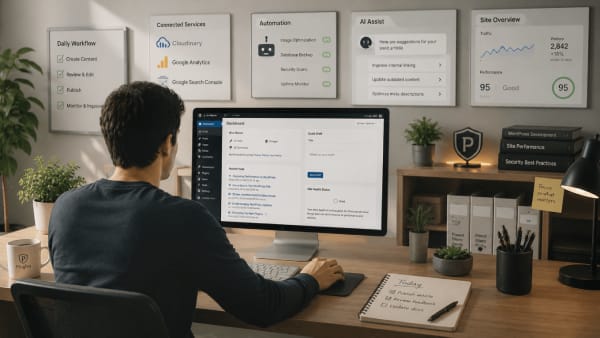
What are WordPress admin guardrails?

Publishing a blog post rarely breaks a website.
Updating a page rarely does either.
Most WordPress users perform these kinds of tasks every day without giving them much thought.
Changing a permalink structure feels different.
Switching themes feels different.
Installing a new plugin often feels different as well.
Even experienced WordPress users tend to approach these actions more carefully, because the consequences can extend far beyond a single page or post.
This difference is easy to recognize, yet it is rarely discussed directly.
Not every admin action carries the same level of risk.
The idea of WordPress admin guardrails begins with acknowledging that reality.
Not every admin action carries the same risk
WordPress is designed to be flexible.
A site owner can publish content, install plugins, switch themes, modify settings, manage users, and customize nearly every aspect of a website from a single dashboard.
That flexibility is one of WordPress's greatest strengths.
At the same time, different actions affect a website in different ways.
Editing a page usually affects only that page.
A plugin conflict can affect an entire website.
Changing permalink settings can influence existing URLs. A theme switch can alter layouts, templates, and functionality. File changes can create problems that may not become visible until much later.
None of these actions are inherently bad.
The challenge is that routine tasks and high-impact actions often appear side by side inside the same administrative environment.
As discussed in Not every WordPress admin action needs equal visibility, some actions naturally deserve additional attention and protection.
Guardrails are not the same as restrictions
The word guardrails sometimes creates the impression that users are being restricted.
In practice, the opposite is often true.
Well-designed guardrails help people work more confidently because they reduce uncertainty around actions that carry greater consequences.
A road guardrail provides a useful comparison.
Its purpose is not to stop people from travelling where they want to go.
Its purpose is to reduce the likelihood of costly mistakes in situations where the margin for error is small.
WordPress admin guardrails follow a similar principle.
They help create clearer boundaries around actions that can significantly affect a website while leaving routine workflows straightforward and accessible.
What WordPress admin guardrails can look like
Guardrails can take many forms.
The exact implementation often depends on the website, the people managing it, and the type of work being performed.
Common examples include:
- Protecting important configuration settings
- Limiting plugin installation to trusted administrators
- Reducing exposure to rarely used high-impact actions
- Separating advanced configuration tasks from everyday workflows
- Reducing unnecessary administrative clutter
- Creating clearer paths for common site management tasks
None of these measures remove flexibility from WordPress.
They simply recognize that some actions are performed far more often than others and that not every user needs constant exposure to every administrative capability.
Would guardrails make managing your WordPress site easier?
Why guardrails become more valuable over time
A newly launched website is often relatively simple.
There may be one administrator, a handful of plugins, and a straightforward workflow.
Few websites stay that way forever.
New plugins are added. Contributors gain access. Responsibilities become shared. Additional functionality introduces additional decisions.
Complexity rarely arrives all at once.
It tends to accumulate gradually.
As explored in Why WordPress admin starts feeling chaotic over time, this gradual accumulation is one reason dashboards often begin to feel more difficult to manage over time.
Guardrails help introduce structure as that complexity grows.
They create clearer distinctions between routine tasks and actions that deserve greater care.
Safe workflows benefit everyone
It is easy to assume that guardrails are mainly useful for non-technical users.
In reality, experienced developers, freelancers, agencies, and internal teams often benefit from them as well.
The more people involved in managing a website, the more valuable clarity becomes.
Good workflows reduce unnecessary decision-making. They reduce avoidable mistakes. They make it easier for people to focus on the tasks that matter most to them.
This is one reason why safer WordPress workflows create more confident site management.
The objective is not to remove capabilities from WordPress.
It is to ensure that powerful capabilities are used intentionally and in the right context.
WordPress became popular because it gives people a remarkable amount of control over their websites.
Admin guardrails are not about taking that control away.
They are about recognizing that some actions carry greater consequences than others and creating workflows that reflect that reality.
When routine tasks and high-impact actions are treated differently, WordPress often becomes easier to manage, easier to maintain, and less stressful to use over time.