Client installed a plugin and broke my site - how to prevent it?
A plugin was installed on a live WordPress site.
No one knew who did it.
The layout changed. Some pages started showing errors. And now you are trying to figure out what changed on the production site.
If you have worked with clients or teams, this is not unusual to you.
It is one of the most common ways a WordPress site runs into unexpected issues.
Why does this keep happening?
WordPress gives administrators a lot of control by default.
Anyone with admin access can:
- Install or delete plugins
- Switch themes
- Update important components
However, there is no built-in concept of safe changes versus high-impact changes. Everything is allowed, even on a live site.
What people usually try... and why it fails
Most site owners try to solve this with instructions:
- Please do not install random plugins
- Avoid changing theme settings
This does work for a while, but sooner or later, someone assumes a change is safe.
The problem is not behavior; the problem is the system. Others try hiding admin menus, but hiding a menu does not prevent anything.
Direct URLs still work, and the action is still allowed.
The real problem
WordPress does not separate access from impact.
A user can have full access, and a small change can affect the entire site within seconds.
What is missing is a middle layer:
Control without unnecessary restriction.
What will actually work
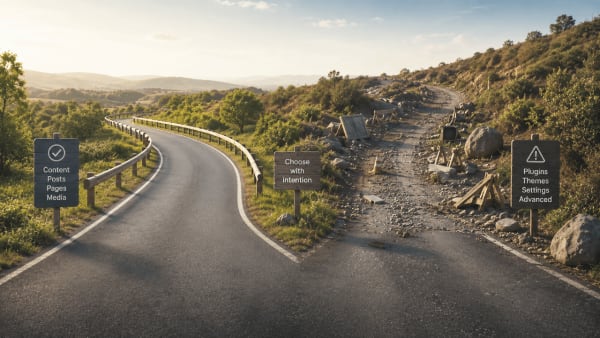
You do not need to block users completely. Instead, you need to control high-impact actions.
For example:
- Installing or deleting plugins
- Switching themes
- Editing critical pages
These are small actions but they bear a large effect.
When these are controlled, most unexpected issues stop happening.
A practical way to handle this
This is the exact problem I built Plugiva ClientGuard to solve.
It does not lock down WordPress. It keeps important parts of the admin stable while allowing normal work to continue.
- Keep plugin installation and removal controlled
- Keep the active theme in place
- Keep sensitive areas safe from unintended changes
The goal is simple:
Keep the site stable without getting in the way of everyday tasks.
Final thought
Most WordPress issues are not caused by bad code. They come from normal use of powerful features without clear safeguards.
When high-impact actions are kept under control, many problems never appear in the first place.